
How to Generate Images
Not every piece of content needs an image, but in many cases images directly affect click-through rate, reading time, and platform fit.
Especially for image-heavy platforms, long-form content, and posts that need a cover, visuals are usually part of the content itself, not decoration.
When image generation makes sense
It is usually worth adding images when you need:
- a cover image
- an explanatory visual
- better fit for image-text platforms such as Xiaohongshu or WeChat
- visual breaks inside long-form writing
- a more saveable or shareable content card
How image generation is usually triggered
There are two common ways:
- turn on
Auto Imageswhen creating the column - generate the body first, then click
AI Generate Imagesmanually
If you already wrote image requirements into the column prompt, the results usually align better with your style.
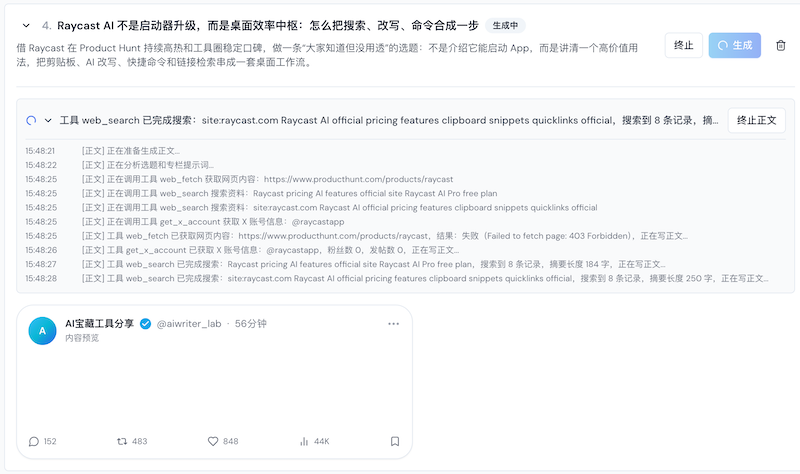
1. Write image requirements clearly first
Many people assume weak image quality is only a model issue, but a more common cause is that the column never described what the images are supposed to do.
It helps to specify in the column prompt:
- what the images are supposed to support
- what the overall visual style is
- whether they should be covers, illustrations, or explanatory graphics
- whether they should feel like text-heavy cards, illustrations, product visuals, or something else
- what elements should be avoided
For example:
- a Xiaohongshu-style vertical card cover with a clear title area and clean layout
- a WeChat illustration that supports explanation without becoming flashy
- an SEO explanatory visual that prioritizes understanding over dramatic styling
2. Recommended generation order
A safer flow is:
- generate the body draft first
- confirm the body direction is correct
- trigger image generation
- check whether the images match the content
- adjust requirements or replace images if needed
This helps you avoid creating images before the content direction is stable.
3. What to do after images are generated
You do not need to keep every generated image.
If an image is not useful, you can:
- click
Deleteon the image card to remove it from the current content - if the content is article-based, the corresponding image reference in the body will also be removed
This is useful for cleaning up:
- clearly off-topic images
- redundant images
- lower-quality images that do not justify regenerating the whole set
If only one or two images are weak, it is often faster to remove or edit them individually than to rerun the whole batch.
4. Is AI image editing still supported?
Yes, that capability still exists.
On image cards that support editing, you can click Edit Image and then:
- write a natural-language edit instruction
- let AI generate a revised preview from the original image
- compare the original and edited version
- click replace if the new one is better
This is especially useful when you want to:
- change the main color palette
- remove a person or visual element
- keep the same information structure but switch the style
- bring the image closer to your brand or platform feel
So it is not just "delete and regenerate." You can often edit first and decide later whether to replace it.
5. What matters most by content type
Xiaohongshu
Usually emphasize:
- card-like layout
- strong title visibility
- clear composition
- higher save-and-stop power
WeChat articles
Usually emphasize:
- cover image quality
- section illustrations
- consistency with the article tone
- visual support without overpowering the text
SEO articles
Usually emphasize:
- helping explain concepts
- improving comprehension
- making long articles easier to read
X or short-form content
Usually emphasize:
- cover feel
- support for the point being made
- stronger click attraction
6. How to judge whether an image is worth keeping
A useful image usually does at least a few things:
- matches the body topic
- does not mislead the reader
- fits the platform style
- improves click-through or reading experience
- serves a real purpose instead of just looking acceptable
If an image is only pretty but not relevant, it often is better not to use it.
7. Common usage advice
- make sure the body direction is stable first
- keep image requirements aligned with the topic, audience, and platform
- explanatory visuals should prioritize understanding, not just aesthetics
- for image-text platforms, think early about the relationship between cover images and body images
- for article-style content, fewer but more useful visuals usually work better than decorative clutter
Common questions
Why is the image style inconsistent?
The usual reasons are that the image requirements in the column are still too vague, or the body direction itself is not stable yet.
Do images have to be auto-generated?
No. You can generate the body first and add images manually later.
If images are weak, should I delete them, regenerate them, or edit them?
If only a few are weak, start with Delete or AI Edit. If the whole set is misaligned, then consider regenerating.
Is more images always better in articles?
No. Images should improve understanding and reading experience, not just increase count.
Next step
Once the content and images are ready, continue with One-Click Publishing.