Home feed
Engage with eligible posts from the Facebook home feed. Follow the author when the post provides a Follow button.

SoPilot for desktop Chrome
Use the home feed or post search in your signed-in Facebook tab. Set rules for liking posts, following authors, and posting comments written by an agent.
Desktop Chrome extension 2.0.8 or later
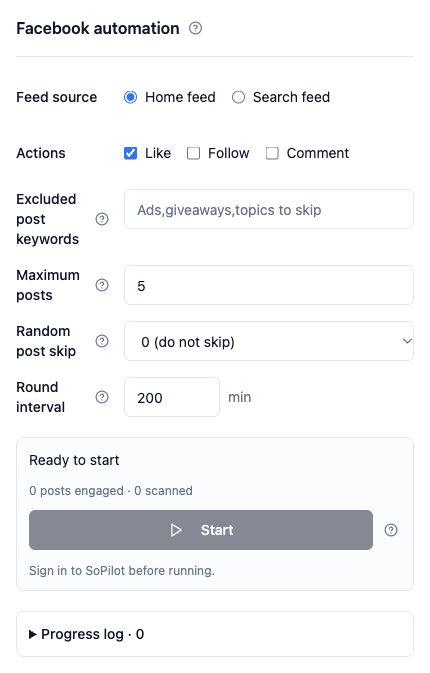
Engage with eligible posts from the Facebook home feed. Follow the author when the post provides a Follow button.
Enter a keyword to find posts to engage with. Comments go to the selected post's comment section.
For example, search for “indie development”, add an excluded keyword for hiring posts, and enable likes. Add a Facebook comment agent when you want to join the conversation.
Install SoPilot for desktop Chrome, then sign in to SoPilot and Facebook.
In your Facebook tab, click the extension icon and choose “Facebook automation” under Quick Actions.
Select a feed or search, then choose likes, follows, or comments. To post comments, select an agent for this platform.
Set excluded keywords, a per-round limit, random skips, and an interval. Use the side panel to track progress, read logs, or stop.
Keep the target tab and side panel open while it runs. Closing either one or leaving the supported pages stops the task.